Author name: opinly

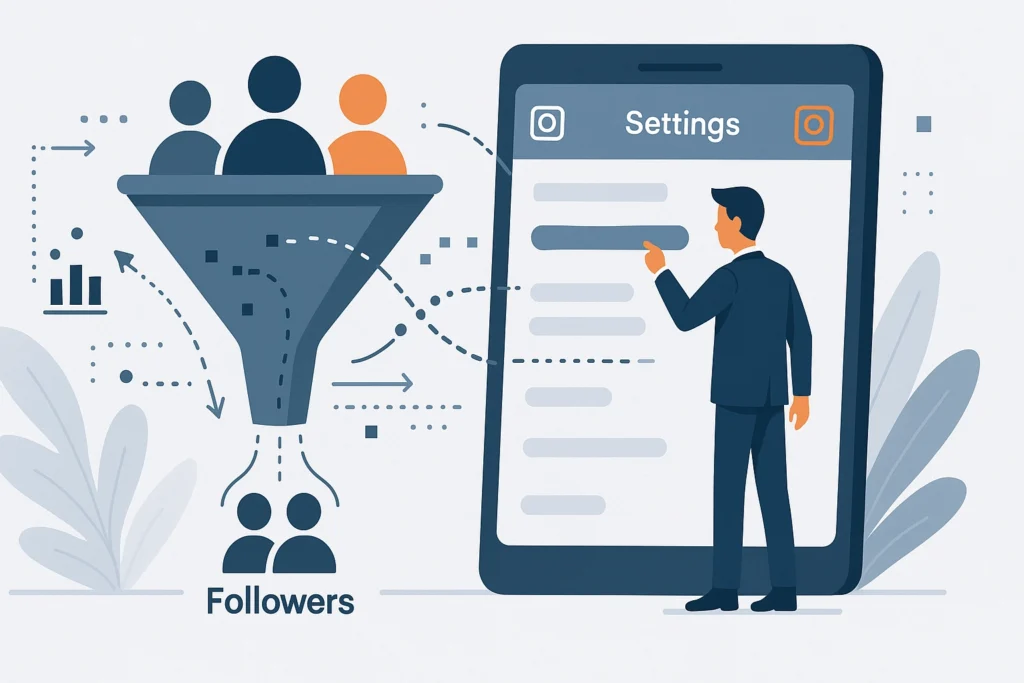
Master Instagram Settings for Growing Your Followers

Want more people to tap Follow without posting more? Start in the settings, not your camera roll. The right switches tell Instagram who you are, who should see you, and how easy it is to connect. That is the fastest beginner win. In this how-to, we will master instagram settings for followers, using simple steps and clear explanations. You will learn how to switch to a Professional account, choose the best category, make your profile public, and turn on similar account suggestions. We will set up contact buttons and a clean bio link, manage tags and mentions, filter comments, adjust Sensitive Content Control, and fine tune Story and Reels defaults so your content gets recommended more often. We will also dial in notifications so you can reply quickly, which helps you show up more to the right people. No tech jargon. Just where to tap, why it matters, and what to avoid. Grab your phone, open Instagram, and let’s turn your settings into a quiet growth engine that brings in followers every day. Understanding Instagram Account Types Choosing the right Instagram account type is the first setting that shapes how easily followers can find and trust you. Instagram offers Personal, Business, and Creator profiles, and each unlocks different controls that influence visibility, analytics, and engagement. In 2026 Instagram behaves more like a search engine, so your profile category, contact buttons, and bio keywords now carry more weight than traditional hashtags, which are less effective for discovery. If your goal is steady follower growth, prioritize the tools that let you analyze performance, schedule content, and promote posts with precision. Below, we compare the account types and walk you through switching to Business with simple steps. Personal vs Business vs Creator Personal accounts are great for private sharing, but they lack analytics, promotional tools, and shopping features, which limits growth decisions to guesswork. Business accounts are tailored for companies and storefronts, offering Insights for reach, impressions, and audience demographics, plus Ads Manager access for targeted promotions and Instagram Shopping. Creator accounts suit influencers and public figures who want detailed audience insights, branded content tools, and flexible category labels that support personal branding. For most brands, Business unlocks the clearest path to predictable growth because it pairs organic strategy with paid amplification and conversion tools. Creator works well if your brand revolves around a person and collaborations, while Personal is best if growth is not a priority. Switch to a Business account, step by step Prerequisites: a public profile, a professional email or phone, and clarity on your business category. Materials needed: the Instagram mobile app, product catalog if you plan to enable Shopping, and a content plan for consistent posting. Expected outcome: full analytics, contact buttons, ads access, and features that improve discoverability and follower trust. Open Settings and privacy, tap Account type and tools, then choose Switch to professional account. Select Business, pick an accurate category, and confirm. Add contact options like Email and Call, then choose to display them on your profile. Connect a product catalog if relevant, and enable Shopping once approved. Turn on Insights, set a posting schedule, and review discoverability settings such as allowing public posts to be indexed in search results, which can dramatically expand reach. The right account type directly affects follower growth by shaping what you can measure and optimize. Business and Creator profiles provide Insights so you can double down on content that earns saves, replies, and taps, the engagement signals the 2026 algorithm favors. Interactive features like polls and quizzes typically lift participation, and paired with consistent posting and strong calls to action, this compounds follower gains over time. For a deeper playbook, explore proven tactics in Instagram Growth Strategies: 7 Ways for 2026 and the step-ups in 26 Advanced Instagram Growth Strategies for Businesses. As you implement these, Jesus Empire can help you automate smart engagement and maintain safe, scalable account operations, so you focus on content while we handle the heavy lifting. Next, we will fine tune the core settings that boost discoverability and help your audience find you faster. Setting Up SEO-Friendly Instagram Profiles Why profile SEO matters in 2026 Instagram now works like a search engine, so your profile must be optimized for the queries your ideal followers type. This is one of the most important instagram settings for followers because names, bios, and visuals influence whether you appear in search and profile recommendations. Accounts that enable public discoverability settings can see major lifts in reach, which pairs perfectly with a keyworded profile that matches intent. Since hashtags are less reliable, your bio and username carry more weight for search visibility. At Jesus Empire, we treat the profile as your storefront, built to rank, convert, and set the tone for engagement. Prerequisites and materials You will need a Business or Creator account, a short list of target keywords that describe your niche and offer, and a square 320 by 320 pixel logo or headshot that crops cleanly in a circle. Have one primary link you want clicks to go to, and a concise call to action. Create a simple naming convention you can use across platforms. If your team manages multiple brand handles, align on naming and visual standards. For multi-account teams, Jesus Empire can help standardize profiles safely at scale using best practices. Step-by-step Craft an engaging bio with keywords. Lead with your niche and value, like “Austin Bakery, Sourdough Specialists, Same-day Delivery.” Work in one action-oriented CTA, for example “Order today.” Use one or two emojis as visual anchors, not decoration. For structure ideas, see this bio audit guide and these CTA tips. Choose the right profile picture. Use a crisp headshot for personal brands and a high-contrast logo for businesses. Center key elements so they display well in the circular frame. Test on mobile and dark mode. Optimize your username for searchability. Keep it simple, include one keyword if natural, and match it across platforms. Avoid frequent changes. For formatting ideas, review this bio …

Master Instagram Settings for Growing Your Followers Read More »
Top Instagram Hashtags for Business Growth in 2026

Feel like your Instagram posts are whispering into the void? You are not alone. The right hashtags can put your business in front of buyers, not just browsers. In this guide to the Top Instagram Hashtags for Business Growth in 2026, we will show you exactly which tags are working now and how to use them with confidence. We will also cover seo hashtags for instagram so your content shows up in search, not just on the Explore page. This is a simple listicle for beginners. You will get curated hashtag lists by goal, reach, and niche. You will learn how to mix broad, niche, and location tags, how many to use, and where to place them for the best results. We will flag common mistakes to avoid, like repeating the same set or using banned tags. You will see examples for product brands, service businesses, and creators. You will also get quick tips for tracking performance and keeping your hashtag strategy fresh as trends shift in 2026. Ready to turn hashtags into real growth? Let’s dig in. Understanding the ‘Less is More’ Approach to Instagram Hashtags Focus on 3 to 5 highly relevant hashtags. Instagram now leans into simplicity, with many strategists recommending using only 3 to 5 hashtags in 2026. Use one branded tag, one or two niche tags, and one contextual tag such as a location or format. Example: a faith-driven bakery in Austin might post a Reel with #faithinbusiness, #austinbakery, #sourdoughlove. Audit your last 10 posts, note which topics earned the most saves and comments, then build your tags around those signals. Keep tags consistent with the main keyword in your caption. Embrace quality over quantity. Fewer, tighter hashtags reduce noise and help Instagram understand exactly who should see your post, improving reach to the right people. This quality-first mindset is trending in 2026, with marketers emphasizing intent over mass tagging, as seen in this quality over quantity discussion. Aim for niche tags with moderate volume, for example 10k to 500k posts, rather than ultra-broad tags where your content disappears quickly. Vet tags by checking their Top tab to ensure recent, on-brand content appears there. Use precise hashtags that match search intent. Instagram increasingly works like a search engine, and captions matter more than hashtags, so align both. Put your primary keyword in the first sentence, then choose hashtags that mirror it. If your caption reads “Christian marketing tips for small businesses,” try #christianmarketing, #faithinbusiness, #smallbusinessmarketing. Add relevant alt text and on-screen words that repeat those keywords. Build community, not clutter. Limiting tags to a precise set attracts people who care, lifting saves, replies, and profile taps. Broad tags like #jesuschrist can be massive, so complement them with niche variations your audience actually follows. With 12.9 million posts around viral Christian content and a heavy usage rate on #jesuschrist, broad tags are crowded. Launch a short branded tag for campaigns, invite followers to use it, and feature the best posts in Stories. As you repeat this focused system, you strengthen brand connection and long-term discovery. Leveraging Branded and Niche-Specific Hashtags 1. Define your brand with unique branded hashtags Branded hashtags are your digital signature, they bundle your story, values, and community in one clickable place. Create one core tag, for example #JesusEmpireGrowth, plus a campaign tag like #ServeAndScale for seasonal pushes or challenges. Keep it short, easy to spell, and consistently add it to Reels, carousels, Stories, and your bio. Encourage user generated content by featuring customer posts that use your tag, this builds social proof and a searchable gallery. With over 2.4 billion monthly users on Instagram and the 18 to 34 audience spending about 33 minutes a day on the app, a memorable brand tag keeps your content discoverable in crowded feeds, see the overview on platform engagement in these 2026 growth tactics. 2. Reach specific audiences with niche hashtags Niche hashtags help you meet people already looking for what you post. Aim for focused tags with moderate volume to balance reach and competition, for example #ChristianStreetwear, #FaithBasedBusiness, or #WomenInMinistryLeadership rather than only broad tags. Build small clusters matched to the post format, one set for Reels, another for carousels or case studies. AI tools can suggest clusters, then you, or Jesus Empire’s team, can human edit for perfect relevance. Track which niches drive saves and profile visits, then double down on those in future posts. 3. Case study, a faith-based initiative that gained traction During the pandemic, Malaysian Islamic NGOs improved reach by pairing clear campaign messaging with targeted hashtags. Their consistent tagging increased discoverability, streamlined content aggregation, and rallied community participation, as analyzed in this Instagram hashtag study of Malaysian Islamic NGOs. The takeaway for beginners, align tags with specific initiatives, for example #FoodDriveSelangor or #YouthQuranCircle, then invite supporters to post under the same tag. This approach mirrors the broader appetite for faith content across social platforms, which rewards clarity and community-centric tags. 4. Maximize engagement with a targeted mix Keep your set concise and ultra relevant, then mix 1 branded tag with several niche tags and one situational or event tag. Place them at the end of your caption or in the first comment for a clean look, and rotate sets to avoid repetition fatigue. Map tags to keywords in your caption and on-screen text, Instagram SEO principles reward semantic alignment, learn more in this guide to Instagram SEO for real organic growth. Review Insights weekly, sort posts by saves and reach, and promote the top performers. As you refine, Jesus Empire can automate the busywork while you focus on creative, faith-filled storytelling. Crafting Shareable Content with Top Viral Hashtags 1. Understand how trending hashtags lift visibility Trending hashtags act like signposts, guiding new audiences to your posts through Search and Explore. When you pair a big, timely tag with one or two niche tags that match your content theme, you expand reach while staying relevant. This improves on-platform SEO for your captions and on-screen text, which boosts discoverability for …

Top Instagram Hashtags for Business Growth in 2026 Read More »

How to Delete a Facebook Post Easily

Ever posted something on Facebook and instantly wished you could make it disappear? Maybe it is a typo, an old photo you have outgrown, or a status that no longer fits. Whatever the reason, tidying up your timeline is simpler than you might think. Today you will learn how to delete fb post without stress. We will walk through clear, beginner friendly steps on iPhone, Android, and desktop. You will see how to remove a single post, use Manage Activity to clean up several posts at once, and what to do if the Delete option does not appear. We will also explain the difference between deleting, hiding, and archiving, so you choose the option that fits your goal. Along the way, you will get quick tips on privacy, recovery, and what happens after you press Delete. By the end, you will feel confident controlling what stays on your profile and what goes. Let’s jump in and clean up your Facebook, one post at a time. Prerequisites and Materials Needed Before you start learning how to delete an FB post, confirm you can sign in with your email or phone and password, and have two factor authentication codes ready if you use them. A quick test login on desktop and mobile prevents lockouts. If you manage a business Page, make sure the account you use has admin rights. Deleted posts cannot be recovered, and items in Trash are removed after 30 days. Save any photos or copy you might reuse so your plan stays consistent. Next, check your connection is stable, which makes how to delete fb post steps run smoothly. Stream a short HD video to gauge speed and reliability. If you are on mobile, install and update the Facebook app from your app store. For bulk cleanups later, see this AARP guide to bulk deleting Facebook posts. Prefer visuals, here is a helpful video walkthrough for deleting Facebook posts. Step-by-Step Instructions Quick steps With billions using Facebook, knowing how to delete fb post content keeps your profile tidy. 1. Log into Facebook on your preferred device, either the iOS or Android app or a desktop browser. 2. Navigate to your timeline and find the post to delete by tapping your profile photo or name, then scroll to the item, such as an outdated promo. 3. Click the three dots in the post’s top right corner to open the options menu. 4. Select Delete Post from the dropdown, then confirm when prompted to remove it from your profile and followers’ feeds. Pro tips and outcomes If you only want the post off your profile, choose Hide from timeline instead. See Facebook’s steps in the Remove or hide something on your profile guide. Need to clear several items quickly, open Activity Log, use Manage Activity, and send old posts to Trash, which you can often restore for up to 30 days. Remember that shares and screenshots can persist elsewhere. With over 1.5 billion people using Facebook daily on mobile, speed matters. For a visual refresher, watch this how to delete a Facebook post tutorial, and at Jesus Empire we suggest scheduling a monthly cleanup to protect your brand. Alternate Options: Hide Posts Not ready to delete? Hiding can be a gentler fix. Here is the difference: deleting removes a post permanently from your profile and the feed and you cannot recover it. Hiding pulls it off your Timeline only. It can still show in friends’ News Feeds, search, and anywhere it was shared. Example: you hide a sale teaser, but a teammate’s earlier share remains visible to their audience. With 2.8 billion users, visibility travels fast, so pick the option that matches your goal. Prerequisites: you are logged in on the latest Facebook app or a desktop browser. Materials: your profile link and internet access. Steps: 1) Open your profile and find the post. 2) Tap the three dots. 3) Select Hide from Timeline. 4) Optional, open Activity Log to unhide later. Expected outcome: the post vanishes from your Timeline, but can still appear in News Feed, search, and on profiles that shared it. Need tighter control? Narrow the audience or delete the post. Managing Multiple Posts Prerequisites: be logged into Facebook on mobile or desktop, have a stable connection, and update the app or browser to the latest version. With more than 2.8 billion monthly users and hundreds of millions of photos added daily, batching your cleanup saves hours and keeps your timeline professional. 1. On mobile, open your profile, tap the three lines, choose Activity Log, then Manage Activity and Your Posts, filter by date or type, select items, and tap Trash to remove them. 2. On desktop, go to your profile, click Manage Posts under the composer, use filters like year, privacy, or content type, check the boxes, click Next, then Delete Posts. 3. Expected outcome, the selected posts vanish immediately from your timeline, and anything in Trash auto deletes after 30 days, which is ideal when learning how to delete fb post content without rushing irreversible choices. To maintain control at scale, filter first, review a small sample for edge cases like tagged photos, archive anything you might revisit, and clear batches in a few clicks while preserving your brand moments. Troubleshooting Common Issues If the delete option is missing Cannot see Delete on your post? First, make sure you are logged into the account that published it, only owners can remove posts. Some items, like profile or cover photo updates, may only allow Hide from timeline rather than Delete. If the menu still looks wrong, clear your browser cache, try a hard refresh, or switch to a supported, updated browser, this CLRN guide on missing delete option explains common fixes. Update the app, check connection and permissions Next, update the Facebook app, then relaunch it. On Android and iOS, open your app store and follow the steps in the Facebook Help Center. After updating, revisit the post, tap the three dots, and the Delete option …

How to Delete a Facebook Post Easily Read More »

How to Login to YouTube for Beginners

New to YouTube and not sure where to start? If you just want to like a video or save it for later, the sign in part can feel confusing. Take a breath. You are a few clicks away from your own playlists, subscriptions, and a home feed that actually makes sense. This beginner friendly how to walks you through the basics, step by step. You will learn how to login with youtube using a Google account, what to tap on mobile versus what to click on desktop, and how to check that you are signed in to the right channel. By the end, you will know how to create a Google account if you need one, find the Sign in button, switch between accounts, and sign out safely. We will also cover simple fixes for common issues like a forgotten password, a verification prompt that will not load, or the YouTube app looping back to the sign in screen. Ready to unlock likes, comments, and your own playlists? Let’s get you signed in and watching. Prerequisites and Materials Needed Step 1: Have a Google account ready YouTube sign in runs through your Google account, so make sure you can access it before you click login with YouTube. If you are creating one, be ready for age checks, since YouTube now widely uses AI age verification. Being signed in unlocks subscriptions, playlists, and smarter recommendations. It also centralizes privacy and channel settings, helpful when you scale with Jesus Empire. Step 2: Check internet connectivity A stable connection keeps sign in screens loading and videos playing. Aim for 5 Mbps for HD and 25 Mbps for 4K. About 70 percent of watch time happens on mobile, so test both Wi Fi and cellular. Update your browser, enable cookies, and keep JavaScript on to support Sign in with Google. Step 3: Optional, turn on two factor authentication Add 2FA to your Google account to block unauthorized access. You can now choose methods without adding a phone number, per Google’s latest 2FA update. Use an authenticator app, device prompts, or a security key. Even if a password leaks, your YouTube stays protected. With these checked off, you are ready to sign in in seconds. Step-by-Step Guide to Logging into YouTube Ready to login with YouTube for a feed that actually knows what you like? When you sign in, your subscriptions, history, and playlists sync across phone, tablet, and desktop. Over 2 billion people sign in monthly, and about 70 percent of watch time is on mobile, so getting set on your phone matters. Being logged in often lifts engagement through smarter recommendations. With your Google account ready from Step 1, follow the quick steps. Follow these steps Open YouTube in a browser or the app on your device, see quick YouTube sign-in tips. Click Sign In at the top right; on mobile, tap the profile icon, then Sign in. Enter your Google email and password, ideally a unique passphrase. Complete two factor authentication if enabled, approve a prompt or use an authenticator code; review the settings you should enable right now. You are in, explore Home, Subscriptions, and Playlists, your recommendations will adapt after a few views. Expected outcome: your channel list and library appear on every device you use. Next, secure your account by turning on 2 step verification and watching for unusual activity. If anything feels off, sign out everywhere and change your password. As your audience grows, Jesus Empire helps you convert that attention with smart engagement and traffic solutions. Exploring Features Post Login Personalized subscriptions and playlists Once you login with YouTube using your Google account, your Subscriptions feed becomes a live dashboard, and rows like Recommended for you or Your Mix learn from your watch history, often lifting engagement by about 30 percent. Step 1: Tap Subscriptions to catch new uploads and set the bell on favorite channels for instant alerts. Step 2: Build a playlist, flip on Collaborative, then share the invite link so teammates or friends can add videos. Step 3: Add a custom playlist thumbnail to make your collections pop, a feature highlighted in the latest YouTube features update. Create, manage, and engage Creating a channel is simple and unlocks tools to upload, organize, and analyze your work; bring a short video and a banner if you plan to publish. Step 4: Click your profile photo, choose Create channel, set your handle, then open YouTube Studio to check views, click-through rate, and retention. Step 5: Use the Community tab to post updates and polls between uploads, as outlined in this Communities expansion. Step 6: Comment thoughtfully and tap like or dislike to refine recommendations, then watch your home feed and audience responsiveness sharpen over time. Troubleshooting Common Login Issues If login with YouTube stalls, use this quick, beginner-friendly plan. Prerequisites: access to your recovery email or phone and a stable connection. Materials: your usual device, a second device or authenticator app or hardware key if enabled. Expected outcome: you regain access and stop repeat lockouts. 1. Forgot your password? Use the Google Account Recovery flow, verify by code or security questions, then set a new unique password. 2. Immediately update recovery email and phone, then enable two-factor authentication in your Google Account. 3. See a security alert or temporary restriction? Review recent activity, sign out everywhere, run Security Checkup, and consider hardware security keys to defeat cookie theft attacks, as highlighted in this 2FA-bypass report. 4. Connectivity fixes: switch Wi-Fi or mobile data, restart your device and router; weak signals drive many failures, with 38% of mobile users affected per this troubleshooting guide. 5. Update the YouTube app, then clear cache and data; many issues resolve after updates, 67 percent, and cache clears, 45 percent. 6. Disable VPN or proxy and try an incognito window or another trusted device. Still stuck? Note error codes and timestamps, then contact support; Jesus Empire can help harden your login setup across devices. Tips for a Secure and Smooth …

How to Login to YouTube for Beginners Read More »

Mastering LinkedIn Profile Views: A Strategic Guide

Your profile views are not vanity metrics. They are early signals of demand, and the most efficient pipeline you can build on LinkedIn. The challenge is turning a spike in attention into conversations and results. Most professionals glance at Who’s viewed your profile, then return to posting and hoping. You can do better, with a repeatable system that reads the data and shapes your activity. In this strategic how-to, you will learn how to use the linkedin profile viewer and LinkedIn analytics to identify who is finding you, what they search for, and which actions multiply visibility. We will break down view sources and search appearances, align your headline, About, and skills to a focused keyword map, and tune your content cadence for qualified traffic. You will set up profile elements that convert views into messages, build follow-up workflows that feel natural, and track KPIs that prove progress. Expect practical checklists, positioning tips for intermediate users, and measurable experiments you can run this week. By the end, you will turn profile views into warm leads, partnerships, and interviews with confidence. Understanding LinkedIn Profile Viewing LinkedIn profile viewing data is a real-time signal of market interest. When connections, recruiters, potential clients, or industry peers visit your page, they are indicating curiosity about your skills, offers, or content. With over 700 million members globally, even small increases in visibility compound into meaningful outreach and deal flow. Profiles with a photo receive up to 21 times more views, and complete profiles are up to 40 times more likely to receive opportunities, which makes interpreting viewer patterns essential for branding, hiring, and pipeline development. Prerequisites and materials A LinkedIn account, ideally with your headline, photo, and About section updated Clear outreach templates for warm follow ups Optional: Premium access for extended analytics Step by step, using Who’s Viewed Your Profile Access the feature. Go to Me, View Profile, then select Who’s viewed your profile. Free accounts typically see up to five recent viewers with limited details, which is confirmed in this guide on how to see who viewed your LinkedIn profile. Interpret the analytics. Premium displays up to 90 days of viewer history, trends, industries, and discovery paths, as outlined in Premium subscriber insights for Who’s viewed your profile. Look for spikes after content posts or headline changes to validate messaging. Set your visibility. Navigate to Settings & Privacy, Visibility, Profile viewing options. Choose Public, Semi-private, or Private. Private limits reciprocal visibility, which is explained in LinkedIn Private Mode explained. Follow up with intent. If a recruiter or buyer persona viewed your page, send a short note referencing a shared topic and a clear next step, for example, a 15 minute discovery call. Optimize your profile. Add a high quality photo, align your headline with search terms, and showcase outcomes in your About and Featured sections to lift future viewer quality. Measure impact. Track week over week viewer counts and roles. After each change, expect a 7 to 14 day lag before trends stabilize. Expected outcomes: warmer introductions, better-fit discovery calls, and a measurable lift in profile views that align with your growth goals at Jesus Empire. Prerequisites for Successful LinkedIn Engagement Before you act on linkedin profile viewer insights, put three essentials in place. These steps improve your visibility, the quality of your viewer data, and your conversion from views to conversations. Set up a professional profile photo Materials needed: smartphone or DSLR, neutral backdrop, window light, business-appropriate attire. Use a high-resolution image, minimum 400 x 400 pixels, to keep your face crisp on all devices. See LinkedIn’s guidance in these profile photo tips. Face the light, frame from mid-chest up, and fill roughly 60 percent of the frame with your face. A genuine, relaxed smile signals approachability. Choose a simple background to avoid distractions. If you lack a plain wall, follow this neutral background guidance. Dress to the level of your target clients or employers. For example, a SaaS marketer might choose a solid blazer over a neutral shirt. Profiles with a photo can receive up to 21 times more views and more connection requests, according to this profile optimization handout. Expected outcome: more relevant profile viewers and stronger first impressions. Ensure profile completeness with keywords Materials needed: 10 target roles or accounts, a keyword list from job posts, quantified achievements. Headline: combine role, niche, and outcome, for example, B2B Growth Marketer | Pipeline Strategy | Paid Social and SEO. About: 3 to 5 sentences with 3 quantified wins, for example, grew MQLs 78 percent, cut CAC 22 percent. Experience: results first, keywords second, for example, built ABM motion using intent data, Salesforce, and automation. Skills: pin your top 3, then fill 20 to 30 relevant skills; seek endorsements. Settings: add location, contact info, custom URL, and Open to work or Open to business. Complete profiles are far more discoverable, increasing opportunities significantly. Expected outcome: steadier growth in qualified viewers like recruiters and buyers. Subscribe to LinkedIn Premium for additional data Materials needed: budget approval, clear outreach goals. Choose a plan that includes Who viewed your profile and InMail. Premium can show up to 90 days of profile viewer history. Keep your viewing visibility set to show your name for reciprocity, then review weekly which titles and companies view you. Tag spikes after profile edits to see what triggers interest. Use InMail to follow up, referencing the view, and offer value, for example, a relevant case study. Leverage Learning courses to close skill gaps visible to viewers. Expected outcome: richer viewer analytics, warmer outreach, and higher reply rates that Jesus Empire’s engagement engines can amplify in your next campaign. Step-by-Step Instruction: Leveraging Profile Views Accessing and interpreting your viewer data Prerequisites: your core profile is up to date, and you can log in on desktop or mobile. Materials: a simple spreadsheet or CRM column for notes, two short outreach templates, and a weekly reminder. 1) Open LinkedIn, select Me, then View Profile, then click Who’s viewed your profile in your dashboard. …

Mastering LinkedIn Profile Views: A Strategic Guide Read More »

The Evolution and Impact of Facebook’s Legacy

Think back to the first time you clicked Like. Or the moment you reconnected with an old classmate and it felt like the internet suddenly got smaller and friendlier. As facebook’s birthday rolls around, it is a perfect moment to look at how this platform grew from a college project into a global force, and what that journey means for all of us. In this beginner friendly analysis, we will walk through Facebook’s evolution in clear, simple steps. You will learn how the News Feed changed the way we consume information, how features like Groups and Marketplace reshaped online communities and shopping, and how algorithms guide what we see. We will also look at the business side, including ads and data, and why that sparked big conversations about privacy and trust. By the end, you will understand Facebook’s legacy, the good, the complicated, and the lessons it offers for the future of social media. No jargon. Just helpful examples, a quick timeline, and practical takeaways you can use to make sense of the platform today. Genesis of Facebook: A Brief History February 4, 2004 is often recognized as Facebook’s birthday, the day Harvard students Mark Zuckerberg, Eduardo Saverin, Dustin Moskovitz, Andrew McCollum, and Chris Hughes launched TheFacebook to help classmates connect. Within 24 hours, more than half of Harvard undergrads had joined, a signal of powerful product market fit, as reported in History’s account of the launch. Demand pushed TheFacebook beyond Harvard to Ivy League peers, then to campuses across the U.S. and Canada. By 2005, the company dropped “The,” secured Facebook.com, and hit 1 million users, milestones outlined in this growth timeline. Opening to the public in 2006, anyone 13 or older with an email could join. By 2012, the network surpassed 1 billion users and sharpened its mission to give people the power to build community and bring the world closer together, moments captured in Wired’s 15 defining milestones. Strategic acquisitions, Instagram in 2012 and WhatsApp in 2014, extended that mission across photos and messaging. For brands, the takeaway is clear: build community, plan mobile first since most usage is on phones, and use Facebook’s birthday to run group-driven, short-form video campaigns, amplified by Jesus Empire’s smart engagement engines. Facebook’s Global Reach: Millions Connected Since Facebook’s birthday, the network has grown to over 2.8 billion monthly active users in 2026. In the U.S. and Canada, 200 million people log in daily, a signal of consistent attention Meta hits 200 million daily active users in Canada and USA. For beginners, this means your audience is already there. Start by confirming audience size in Ads Manager, then plan mobile first posts and ads. Use organic content to test messages, then boost what performs. Features turn reach into results. Marketplace helps local sellers move inventory, Watch hosts product explainers and live Q&A, and Dating keeps users exploring, all of which sustain engagement Facebook statistics and trends. Groups and Events nurture community, and Reels is surging, users reshare Reels more than 2 billion times daily. Because attention is strong, advertising drives financial growth, contributing the vast majority of revenue. Practical playbook, publish one helpful Group post and two short Reels weekly, run a $10 per day interest based campaign, track click through rate and cost per result, then scale winners with Jesus Empire’s guidance. Analyzing Facebook’s Business Model Facebook’s business model is advertising driven, with about 98% of revenue from ad collaborations, as Q2 2025 showed $46.56 billion of $47.52 billion came from ads Meta’s Q2 2025 earnings, 98% from ads. Projections point upward, with ad revenue expected to reach $125 billion in 2026 Forecast: Facebook ad revenue in 2026. Markets recognize this model, since Meta’s market cap cleared $1 trillion and sits near $1.57 trillion Meta Platforms market capitalization. Ranking algorithms decide what users see, prioritizing relevance and interactions, which boosts time on platform but also demands creative planning. Heavy investments in AI help moderate harmful content and safety, pairing machine systems with human review to cut errors. Mobile is the engine room, since over 70% of users access via phones, so vertical video, quick loading pages, and lightweight creative are essential. For brands, build mobile first, test AI-assisted audiences, and use Jesus Empire’s engagement tools to turn impressions into outcomes, a playbook refined since Facebook’s birthday. From Facebook to Meta: The Metaverse Journey What the Meta shift means for brands From facebook’s birthday in 2004 to the 2021 rebrand, Meta signaled a new direction aimed at building an immersive internet, as detailed when it announced the Meta name change. The company poured resources into VR and AR, from Quest headsets and Ray-Ban Meta smart glasses to early social VR spaces like Horizon Worlds. By 2026, strategy evolved again, prioritizing AI and wearables, with Reality Labs trimmed and smart glasses positioned for hands-free capture, on-device AI, and real time translation. To facilitate deeper interactions, Meta AI began personalizing experiences across WhatsApp, Instagram, and Facebook, with analysts projecting roughly 1 billion monthly users by late 2025, which marketers can tap through AI informed recommendations and AR prompts. Privacy controls also tightened, including expanded opt outs in Europe and privacy aware infrastructure for AI, so brands should shift toward first party data, consent driven retargeting, and contextual creative. For beginners, pilot AR effects, host a lightweight Horizon Worlds demo, and design content that works hands free on smart glasses; Jesus Empire can blueprint and execute these tests while you run the business. The Role of Platforms like Jesus Empire Since facebook’s birthday in 2004, social feeds have become storefronts. In 2026, social media users are projected to hit 5.3 billion, see why social media marketing is a must in 2026. Over 70 percent of Facebook usage happens on mobile, so vertical creative matters. Algorithms elevate meaningful interactions, not vanity impressions. Jesus Empire turns these realities into beginner friendly playbooks, from crafting comment driven captions to setting reply targets within 30 minutes. Smart tools for simple growth Jesus Empire helps teams navigate complexity …

The Evolution and Impact of Facebook’s Legacy Read More »

Mastering Facebook Birthday Features: A Beginner’s Guide

Forgot a friend’s birthday and felt that tiny wave of guilt? You’re not alone. Facebook actually gives you plenty of tools to remember, celebrate, and manage birthdays with less stress and more fun. In this beginner friendly how-to, we will walk through the fb birthday features step by step, so you can show up for your people without scrambling. Here is what you can expect. You will learn where to find the birthday list on mobile and desktop, how to turn on or fine tune notifications, and how to update your own birthday details and privacy. We will cover quick ways to send wishes with stickers, GIFs, and stories, plus handy tips for writing messages that feel personal. You will also see how to manage reminders, sync birthdays to a calendar, explore birthday fundraisers, and hide or mute birthday alerts if your feed feels crowded. We will finish with simple fixes for common issues like missing reminders or visibility glitches. By the end, you will have a clean, easy system for birthdays on Facebook, and zero last minute panic. Let’s get started. Understanding Facebook Birthday Features Facebook’s birthday reminders keep the fb birthday moment front and center, showing in your notifications, feed, and, if enabled, as mobile alerts. In 2025, Meta added colorful cards and short video clips you can send right from the reminder, making quick wishes feel polished, as noted in interactive birthday updates. Those nudges matter because birthday posts spark comments, reactions, and even charity fundraisers. The Ringer’s look at birthdays reported first interactions for 39 percent of users were birthday-driven and around 100 million daily engagements, a useful baseline for how powerful this feature can be. Today, AI suggestions, AR effects, and fundraiser prompts turn a quick HBD into a meaningful touchpoint. For brands, a warm birthday reply, a sticker, or a short video can humanize your presence and bring people back to your page. Quick steps to use birthday features Prerequisites: Facebook app updated, notifications allowed. Materials: a 10 second video, a simple birthday graphic, optional coupon code. Expected outcome: more comments, profile visits, and goodwill. Settings and privacy, Notifications, Birthdays, toggle push and email on. When a reminder appears, tap it, choose Send card or Record video, add one personal detail and an emoji. If appropriate, attach value, a small discount or donate via the fundraiser prompt. Reply to any follow up comments; at Jesus Empire we suggest saving a reusable 10 second video template. Setting Up Birthday Notifications on Facebook Turn birthday notifications on or off Prerequisites: a Facebook account, an updated app, notifications allowed on your device, optional email or phone number for email or SMS alerts; expected outcome, you will see or stop seeing fb birthday reminders. 1. On desktop, click your profile menu, choose Settings & Privacy, then Settings. 2. Select Notifications on the left, scroll to Birthdays, then toggle On or Off. 3. On iPhone or Android, tap the menu, go to Settings & Privacy, Settings, then Notifications. 4. Tap Birthdays and toggle On or Off. Customize and manage like a pro In Birthdays, pick channels, enable Push, Email, or SMS, for example, push only so your inbox stays clean, and remember birthday fundraisers have raised over $1 billion. Want fewer pings, create a Family list and keep notifications for that group. Check device settings, allow Facebook notifications, disable battery optimization. Update the app; if alerts stall, clear cache or log out and back in. If birthdays support your brand touchpoints, schedule gentle replies in your workflow, and consider Jesus Empire’s smart engagement to scale a personal feel. Creating Memorable Birthday Posts Craft personalized messages Prerequisites: updated Facebook app, permission to tag, two photos or a 10 second clip, one memory. Expected outcome: higher replies and reactions, Facebook sees over 45 million birthday posts daily and recipients are about 50 percent more likely to engage the following week. Step 1, choose a tone that fits, funny for close friends, warm for colleagues. Step 2, write a tight 2 sentence note that names one trait you admire and one shared moment. Example, Thanks for teaching me those design shortcuts this spring, your patience and hustle inspire me. Add video, Stories, and AI Step 3, level up with visuals. Create a Story using Facebook’s Birthday Stories feature, add a music sticker, and repeat your best line as a caption. Step 4, record a 10 second vertical video, add captions, and drop a birthday effect. Step 5, if it is your day, share the platform’s recap clip to extend the celebration, see the birthday recap video. Step 6, let AI suggest three variants, pick the one that sounds like you, then tweak the opener and emoji. Brands can batch this with Jesus Empire to scale thoughtful fb birthday shout outs. Ensuring Privacy and Control Control who sees your fb birthday Prerequisites: a Facebook account, updated app, and a minute to check settings. Materials: your phone or desktop browser. Expected outcome: your birth date shows only to the audience you choose. 1) Open your profile, tap About, then Contact and basic info, 2) click the birth date edit icon, set Day and Month to Friends and Year to Only Me, 3) use Custom to include a Close Friends list if you still want reminders visible to a small circle, 4) save. If you need visuals, follow this Facebook Help Center guide. Best practices and why it matters Share only month and day so friends still get reminders, keep the year private. Audit connected apps quarterly, remove any you do not trust. Avoid posting your full legal name next to a full birth date. Remember, personal data can be shared with third parties; privacy controls limit that surface area. Laws keep evolving, see this 2025 roundup on children’s data protections from Securiti: privacy regulation updates. Example: keeping the year private removes a key data point used in credit checks and account recovery. Celebrating Virtually with Facebook Events Set up your Facebook Event Prerequisites: …

Mastering Facebook Birthday Features: A Beginner’s Guide Read More »

How to Effectively Delete Twitter Posts

Got a tweet you regret, or a timeline that needs a clean slate? You are not alone. Whether you are prepping for a job search, tidying up old jokes that no longer land, or just starting fresh, learning how to delete twitter posts quickly and safely can make a big difference. In this beginner friendly how-to, you will learn exactly how to remove posts one by one on desktop and mobile, how to undo retweets, and how to handle replies with images or videos. We will also cover smart ways to find old tweets by date or keyword, what to know about bulk deletion tools, and how to download your archive before you wipe anything. You will get clear, step by step instructions, plus tips to avoid common mistakes, like broken links or half deleted threads. We will finish with what deletion does behind the scenes, what cannot be undone, and how to keep your timeline clean going forward. Grab your phone or laptop, and let’s tidy up your Twitter presence with confidence. Prerequisites and Materials Account access and interface basics Before you delete Twitter posts, start with access. Confirm your username or email, password, and any two factor code; if needed, use the Forgot password link to reset. Open twitter.com or the iOS or Android app, then find your Profile and the three dot menu on each tweet. With these basics, you can remove a single tweet in seconds and immediately hide it from timelines. Tweets often lose most engagement within about 18 minutes, so quick corrections limit exposure. Privacy rules, reasons, and materials Review platform rules so you know what deletion does. Per policy, a deleted tweet disappears from your profile and public view, but copies may persist in caches or archives, and DMs you delete remain for the other person, see the Twitter Privacy Policy. Expect likes, retweets, and replies tied to that post to go too. Common reasons include privacy, reputation management, legal requests, or compliance for business accounts. For bulk cleanups, prepare your device, steady internet, and optionally a helper like the [Delete Tweets on X guide](https://tweetdelete.net/resources/delete-tweets-on-x/) to plan filters by date or keyword. How to Manually Delete Twitter Posts Manual deletion is perfect when you just need to delete twitter posts here and there. Before you start, make sure you are signed in on the web or the X mobile app, your connection is stable, and your profile is open. The expected outcome is permanent removal of the post from your timeline, followers’ Home feeds, and X search. This helps tidy your brand presence, useful given that over 500 million tweets go out daily and a post’s engagement typically drops after about 18 minutes. If you want a quick reference from X, see the official steps in How to delete a Post. Navigate to the tweet in your profile timeline, then open it if you want to double check content. 2) Click or tap the More icon, the three dots in the upper right of the tweet. 3) Select Delete Tweet from the menu, wording may appear as Delete post depending on your app version. 4) Confirm Delete to finish. The tweet and its likes, replies, and reposts attached to your post are removed. Copies in screenshots, caches, or reposts by others may still exist, so consider archiving anything you want to keep first. Using Tools for Bulk Deletion Manually deleting dozens or thousands of tweets is tedious, since each post must be removed one at a time. There is also a hard access limit, the interface and most tools can only reach your most recent 3,200 tweets, so older posts require your account archive. The TweetDelete FAQ confirms this 3,200 API cap, which is why archives matter for full cleanups. Bulk tools add helpful filters by date, keyword, or engagement, letting you target outdated launches or off-brand replies quickly. Keep in mind that deleting a tweet also removes its likes, retweets, and replies, which can affect your metrics. Try this workflow: 1) Gather prerequisites, login credentials, stable internet, and export your full X archive if you need to go past 3,200. 2) Pick a compliant tool, such as Circleboom’s bulk delete, which supports archive-based removal, or the Tweet Deleter app. 3) Import your archive or authorize access, then set filters, for example tweets before 2022 or keywords like beta. 4) Run a small test batch, then schedule larger runs to respect rate limits and avoid temporary flags. 5) Review results and your timeline to confirm policy compliance and that mission-critical posts remain. Privacy and Considerations When Deleting Tweets Before you delete Twitter posts, pause to evaluate why. Privacy is the top driver, for example removing a tweet that exposes a phone number or client address protects you from doxxing and identity misuse, see these reasons to delete old tweets. Reputation matters too, outdated jokes or positions can misrepresent your brand, so curate content that reflects who you are today, here is how to maintain a positive online image. Also note the tradeoff, deleting a tweet removes it from your profile and erases likes, retweets, and replies. Quick decision steps Confirm prerequisites, define your deletion policy and scope; have your export or screenshot tool ready. Save a record if needed, export an archive or take screenshots for compliance. Delete and verify, expected outcome: the post disappears from timelines and analytics. Limit persistence, search your handle to spot caches or screenshots, and review why deleted tweets can persist via caches and archives. There is no recovery after deletion, Twitter does not restore removed posts. Ethically, avoid scrubbing to hide mistakes. Prefer a corrective follow up that explains changes. For brands, set a retention policy, Jesus Empire can guide workflows. Advanced Deletion Techniques Prerequisites: sign in to X, export your archive if needed, and have a third-party deletion app and an AI sentiment tool ready if you plan to delete Twitter posts at scale. 1. Use third-party apps to schedule deletions, see the best tweet …

How to Effectively Delete Twitter Posts Read More »

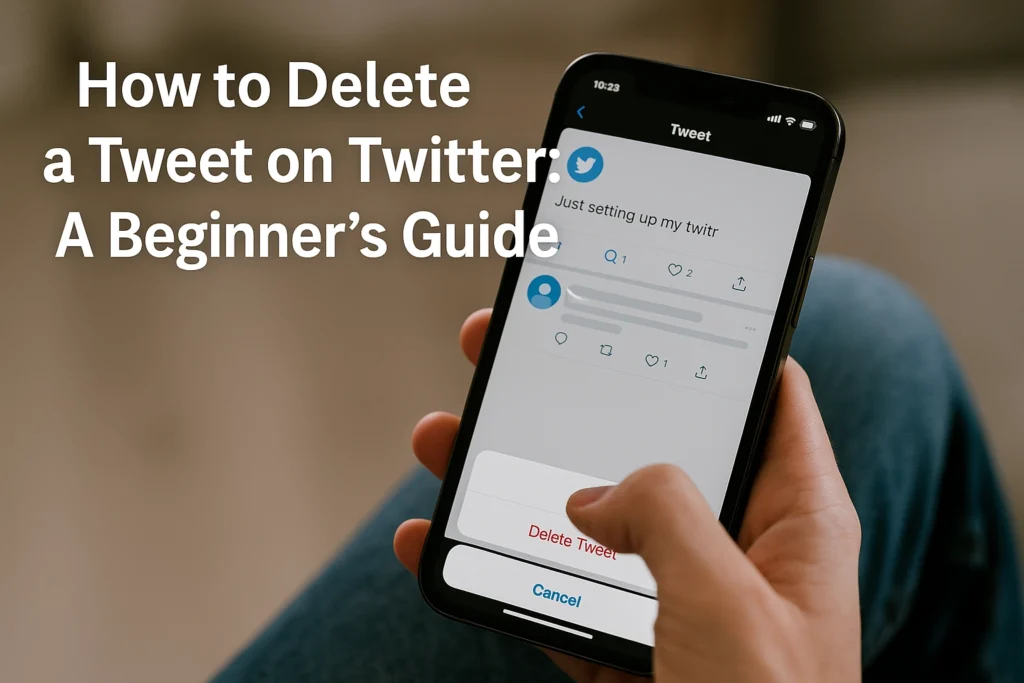
How to Delete a Tweet on Twitter: A Beginner’s Guide

Hit Tweet too fast? It happens. Maybe there is a typo, a photo you did not mean to share, or a take that does not land. The fix is simple, and you can do it in seconds. This beginner-friendly how-to shows you exactly how to delete twitter post on both the mobile app and the desktop site. We will walk through the steps to open your tweet, find the right menu, tap Delete, and confirm. You will learn what happens after a deletion, including what disappears instantly and what might still be visible for others who already saw or shared it. By the end, you will know how to remove tweets, retweets, and replies with confidence. You will see tips for avoiding common mistakes, how to double-check before you delete, and how to quickly find older tweets you want to clean up. No jargon, just clear instructions and screenshots you can follow in real time. Whether you are tidying your profile or undoing a quick misfire, this guide will help you make the right move fast and keep your timeline looking the way you want. Prerequisites: What You Need Before you delete a Twitter post, sometimes called a post on X, make sure you can sign in to your account through a browser or the official app. Double check you are on the correct profile, especially if you manage brand and personal accounts, and have any two factor codes ready so you do not get locked out. You also need a stable internet connection, ideally 10 Mbps or higher on Wi Fi or strong LTE, since a drop during deletion can cause the action to fail or make the tweet appear until the page refreshes. Test stability by loading your profile and refreshing your timeline; if media loads quickly, you are set. Finally, have a device ready with a modern web browser or the Twitter app installed and updated, desktop, iOS, or Android all work; updates can change where the Delete option appears. For a quick visual preview, watch How to Delete X Post History before you start. Step-by-Step: Deleting a Tweet If you need to delete Twitter post content, the process takes about two minutes and only requires the official app or a browser. Sign in and confirm you are on the right account, especially if you manage multiple brands. A stable connection helps the change reflect quickly. Remember that deletion is permanent and removes the tweet’s engagement metrics from analytics. If your team needs a record, capture a screenshot before you begin. Open the Twitter app or go to twitter.com, then log in with your username and password. Tap or click Profile, then scroll to find the tweet. Pro tip, use Search with from:yourhandle plus a keyword to jump right to it. On the tweet, select the three dots labeled More. Choose Delete Tweet to queue the removal. When the confirmation prompt appears, choose Delete again to finalize. After you confirm, the post disappears from your profile, timeline, and search within minutes. Native retweets are removed, while replies and quote tweets others made can still appear, they simply no longer link back to your original. Copies or cached pages may persist elsewhere. For bulk cleanup, see this trusted overview, the Consumer Reports guide to deleting tweets before authorizing any tool. When you want fewer cleanups and stronger results, Jesus Empire can guide smarter posting and review workflows. Implications of Tweet Deletion Deleted tweets are gone on the platform When you delete Twitter post content, it disappears from your profile and public timelines, and you cannot recover it through the app or web. Platform guidance indicates deletions are processed on a rolling basis, often within about 30 days, though interim backups may exist, see this overview of Twitter data policies. Once removed, you will not be able to view the original in your timeline or in search. If you plan to correct a mistake, consider deleting, then reposting a revised version to preserve clarity. But copies can live on elsewhere Deleted posts can persist in screenshots, web caches, and public archives. Screenshots often circulate long after deletion, as noted in this privacy explainer. Independent snapshots may capture tweets, with analyses finding many removed posts still discoverable, see this article on archived tweets. Example: a brand deletes an ill-timed post after ten minutes, but screenshots and quotes continue to trend. Before you delete, a quick 3-step check Materials, a screenshot or export tool; expected outcome, an informed decision with fewer surprises. Save your own record, export data or screenshot for internal accountability. Scan search results and social replies to gauge what copies might already exist. Decide your best path, delete, issue a correction, or post a transparent follow-up. For brands, this mindset supports privacy-aware workflows and smarter reputation management. Tips and Potential Troubleshooting Align decisions with strategy, and plan for persistence Before you delete a Twitter post, line up your prerequisites: your brand voice guide, the current campaign calendar, and a simple risk checklist. 1. Check strategic fit using that calendar, if the tweet promotes an expired offer or a discontinued feature, remove it to prevent confusion, a best practice highlighted in this Programming Insider overview. 2. Anticipate persistence, screenshots and web archives may keep copies, so keep a private log of what you deleted and why, and draft a brief holding statement in case the content resurfaces, a mindset supported by The Brand Hopper’s guidance on cleaning digital footprints. 3. Document what you will publish instead, for example, a corrected thread or an updated promo. Expected outcome: a cleaner feed, fewer mixed messages, and lower PR risk. Use tools to stabilize your content plan Materials needed: your last 30 days of post performance, a weekly content map, and access to Jesus Empire services. Apply this quick workflow, 1. Flag low-fit or high-risk posts for removal. 2. Repurpose high performers into threads or carousels. 3. Use Jesus Empire’s traffic services to amplify approved content and fill gaps in your …

How to Delete a Tweet on Twitter: A Beginner’s Guide Read More »

Mastering Instagram Reel Viewing: A Beginner’s Guide

Ever open Instagram for a quick peek and end up deep in a stream of short, catchy videos? Welcome to Reels. If you are new, it can feel fast, fun, and a little confusing. This guide is your friendly tour of the instagram reel viewer, the set of buttons, menus, and tricks that make watching smoother and more personal. By the end, you will know how to find Reels, use the viewer controls confidently, and fix your feed so you see more of what you like. We will cover tapping and swiping basics, turning sound on or off, captions and subtitles, liking, commenting, and saving for later. You will learn how to share a Reel, follow a creator from a video, and use the search and audio pages to discover new content. We will also show quick settings that help you manage data and screen time, and how to reset recommendations if your feed goes off track. Ready to scroll smarter, not longer? Let’s start with the simple steps and build up from there. Prerequisites and Materials Install or update the Instagram app on your smartphone. Open your app store and confirm you are on the latest version, which unlocks the Reels tab and creative tools. This matters because Reels content is massive, with over 2 billion people engaging monthly, according to these Instagram Reels statistics. After updating, tap the Reels play icon and test autoplay with sound. Build a basic feel for the interface. From the home screen, tap the Reels icon, swipe vertically to browse, and use the heart, comment, share, and save buttons to interact as an instagram reel viewer. Tap the audio name to see more clips with that track, and long press to enable captions. Try searching a hashtag to find niches you like. Secure a reliable internet connection for seamless streaming. Aim for at least 10 to 20 Mbps on Wi Fi or 4G for crisp playback. Reels are played over 200 billion times daily, so stable bandwidth helps avoid buffering, see daily Reels plays across Instagram and Facebook. If videos stutter, switch networks or close background apps. Step 1: Installation and Accessing Instagram Reels What you need You need a smartphone with internet, a bit of free storage, and access to Google Play or the App Store. Have your email or phone ready for verification. If you plan to use a business profile, keep your brand email and logo nearby. Enable two factor authentication after login for safety. Follow these steps Install Instagram: open Google Play on Android or the App Store on iPhone, search Instagram, tap Install or Get, then wait for the download. If you already have it, update the app so the Reels tab and creative tools are current. 2) Open the app and log in using your email, phone, or username with your password, or create a new account in minutes. Confirm any security code, then pick a recognizable username that matches your brand. 3) From the home screen, tap the Reels icon at the bottom center, the clapperboard symbol, to open the Reels feed. You can also swipe to the Explore tab and tap any Reel to view related clips. Outcome and why it matters Turning on Reels drops you into Instagram’s busiest format. Users watch over 200 billion Reels daily across Instagram and Facebook, proof your customers are already engaging there 2026 Instagram Reels statistics. Reels deliver about 22 percent more interaction than standard video posts and account for roughly 35 percent of time spent on Instagram 2025 Reels statistics overview. Watch a few clips so the algorithm learns your preferences, then, with Jesus Empire as your growth companion, you will be ready to create content that matches what your audience loves. Step 2: Finding Reels That Match Your Interests Before you start, have the latest Instagram app installed, a short list of topics you love, and 5 to 10 minutes of focused scrolling. The goal is simple, tune your instagram reel viewer experience so the app brings the right Reels to you. Reels are a major discovery surface, with industry reports indicating hundreds of millions of people watching daily, so small signals you give the algorithm matter. Expect results quickly, your Explore feed and Reels tab should feel more relevant within a day as you interact with content. For businesses partnering with Jesus Empire, these habits also prime your account for smarter engagement workflows later. Step 2.1: Use the Explore page to discover trending Reels Open Explore, tap the Reels grid, then sample what is trending in your niches. Interact with intention for 5 minutes, like, comment, save, or share only Reels you truly enjoy, and long press content you dislike to mark Not Interested. In 2026 Instagram added controls that let you choose topics and mute others, use these to personalize your Reels recommendations. Example, select Cooking, Travel, and Fitness, remove Pranks if that is not your style. Outcome, your Reels stream shifts toward your chosen categories, and you will see more creators that match your tastes. Step 2.2: Search using keywords and hashtags Tap the search bar and type natural phrases, for example budget travel reels, beginner calisthenics, or vegan meal prep. Instagram now indexes captions, on screen text, and even spoken words, which makes keyword queries powerful, see this overview on Instagram hashtags strategy and search behavior. Hashtags still help as category tags, use or explore 3 to 5 highly relevant ones like #DIYHomeCafe, #TravelHacks, or #GluteWorkout, rather than long hashtag blocks, more context here, social SEO keywords vs hashtags. Open a result, then swipe up to see related Reels and tap into similar creators. Outcome, precise searches surface niche content faster, and the algorithm learns the keywords you value. Step 2.3: Follow creators who produce engaging content When you find a great Reel, tap through to the profile, review several Reels, then follow if three or more resonate. Turn on notifications for Reels, and save standout posts into themed Collections like …

Mastering Instagram Reel Viewing: A Beginner’s Guide Read More »

Scroll to Top